
Storm Tips 6–10: The Full List
6. The Whole-Home Surge Protector Myth
The most common mistake we see: assuming a whole-home surge protector does all the heavy lifting. It helps, but surges still come in through your cable and data lines, not just the electrical panel. That's why we recommend layered protection:
A point-of-use surge protector right at the equipment. Double up, even if you have whole-home protection.
A power conditioner. It includes surge protection, and it also cleans up "dirty power," which matters for the sound and picture quality of sensitive audio and video equipment.
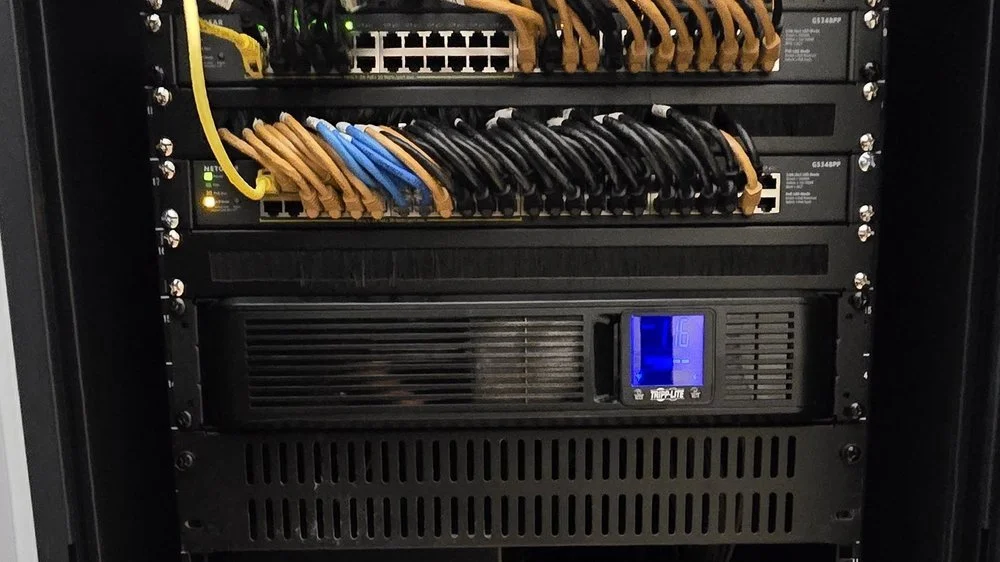
A battery backup, or uninterruptible power supply (UPS), as the cherry on top. Your equipment runs off the battery, so it never sees the power flicker off and on. It also allows a graceful shutdown, and it keeps your camera recorder and internet running so you don't face a 10-15 minute reboot. One caution: not every UPS is true sine wave, and office units aren't meant for A/V (audio/video) gear.
7. Turn Everything On and Test It
Once the storm has passed, go ahead and turn everything on. We actually encourage it. It's the only way to know what's working and what isn't.
And don't just test the main TV. Check the things you rarely use: the guest room TV, the old game console, the DVD player sitting in the stack. Those are the easiest to forget, and you want to find a problem now, not later.
If you've been running on a generator with dirty power, keep an eye on your equipment for a few days to a week afterward. Pay extra attention to older gear. Like older bodies, older electronics are less resilient. If something won't turn on, give us a call.
8. Watch for Damage That Shows Up Weeks Later
Surge damage doesn't always show up right away. Sometimes a device works fine the day after the storm and starts acting up weeks later.
Here's how it can play out. After a storm, we'll do an insurance consultation, and when we come back three or four weeks later to install the approved replacements, the homeowner tells us the washer or dryer has started acting up.
So don't assume you're in the clear just because everything turned on. Over the following weeks, pay attention to anything that isn't working the way it used to. Write it down and let us know.
9. Partial Damage: Why It Takes a Pro to Trace a Surge
Storm damage is often partial, and that's what makes it tricky. A common example: your camera recorder powers on and works, but cameras 3 and 4 out of 16 are dead. The cause could be a fried port on the recorder, a cable that needs to be re-terminated (a new connector put on the end), or the cameras themselves.
Surges can come in from anywhere, and you can't tell the source just by looking. You can only work it out from the damage pattern, a lot like how tornadoes are rated by the damage they leave behind. And if lightning strikes near your cameras, that wiring acts like an antenna no matter what. A professional who knows how your system is wired can follow the trail and pinpoint exactly what failed, so you only replace what's actually broken.
10. Repair or Replace? Why DIY Repair Rarely Pays
It's natural to want to fix something rather than replace it. But most modern electronics simply aren't repairable. There are no serviceable parts inside. Epson projectors, for example, are built in-house, with no third-party circuit boards or capacitors you can swap out. Much of today's gear is designed with obsolescence in mind, and technology moves so fast that parts don't stick around.
In most cases, repairing costs more than replacing. Unless you really know what you're doing, DIY repair isn't worth the time or the risk.
One tip for next time: some receivers and good projectors come with two- to three-year warranties instead of the usual one year. That's worth weighing when you buy.
After the Storm, We're Here
If the storm has already passed and something isn't working right, or you're just not sure, we can help. Our team will test your system, track down exactly what was damaged, and prepare an insurance-ready estimate.